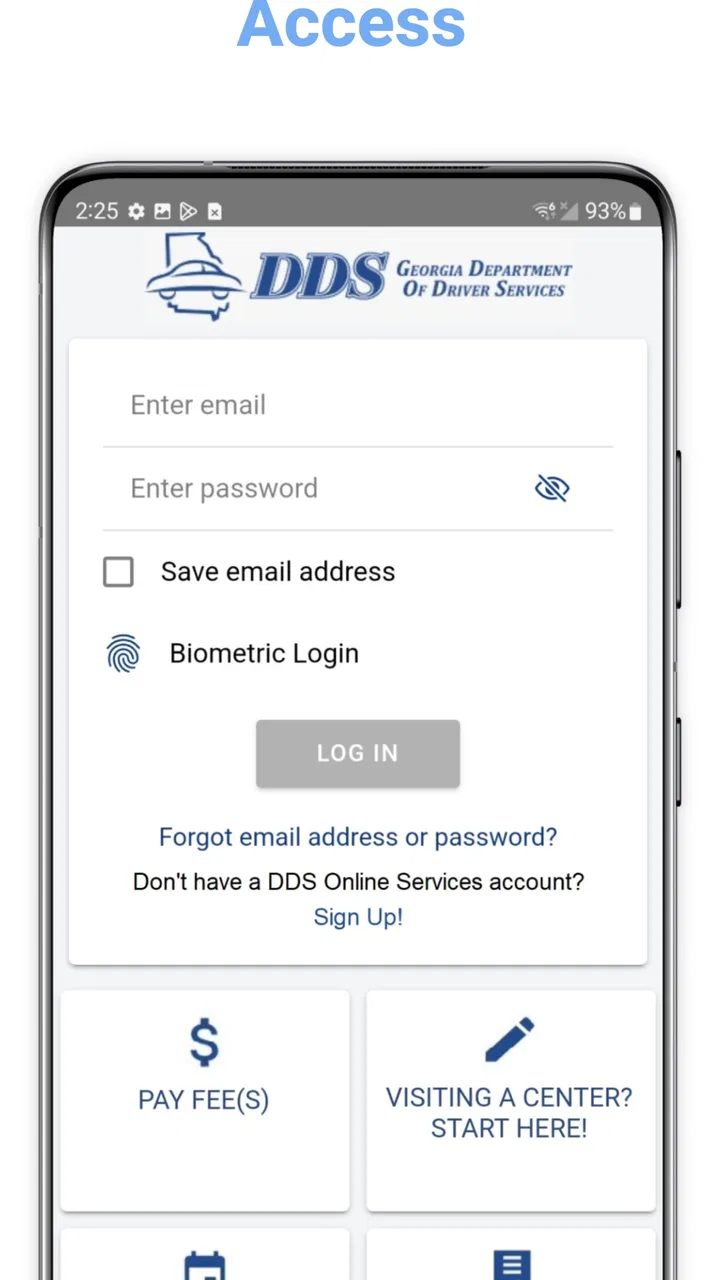
DDS 2 GO
- 3.1
- Rating
- 500.00K
- Installs
- Free
- Price

 Analysis by App-foxy
When a household has more than one Georgia driver, small Department of Driver Services tasks can become surprisingly easy to mix up. One person may be checking a license detail, another may be preparing for a visit, and someone else may simply need official information while away from a computer. I found DDS 2 GO most useful in that practical space: it puts Georgia DDS access in a mobile format rather than trying to be a general driving companion or a replacement for every service channel.
The app is the official Android application from the Georgia Department of Driver Services, and it belongs in the business category rather than entertainment or education. It is free, rated for Everyone, and has passed the half-million-install mark. That reach makes sense because its audience is broad: Georgia residents dealing with driver-services matters, families coordinating errands, and people who prefer handling official information from a phone.
My overall impression is positive but measured. This is a focused government-service tool, so its value depends less on visual excitement and more on whether it helps you reach the right information at the right moment. It can be convenient when used as a personal reference point, but I would not treat it as a complete household management system or assume that installing it removes the need to verify important details before acting.
You May Also Like

 Blood Strike: 2.5 Anniversary
Blood Strike’s Loadouts Turn Every Drop Into a Tactical Gamble
A close look at Blood Strike’s custom loadouts: how fast access to signature weapons reshapes its battle royale rhythm, rewards preparation, and narrows the gap between fights.

 Pandora - Music & Podcasts
Pandora’s Music Is Easy to Start, but Harder to Recover
Pandora’s strength is its low-effort path from a seed to a station. Its weak spot is how much confidence it asks you to place in connection, setup, and quiet recovery.

 8 Ball Pool
8 Ball Pool Is Built on Rivalries, Rematches, and Routine
A close look at the rivalries, rematches, shared routines, and unanswered safety questions that turn a quick pool match into a persistent mobile community.

 Samsung Music
Samsung Music’s Quiet Strength Is Playing What You Already Own
Its reach comes less from spectacle than from dependable access to a personal library. That simplicity is both the app’s strongest retention engine and its ceiling.

 AccuWeather: Weather Radar
AccuWeather Review: A Quick, Clear Forecast for Everyday Decisions
For everyday plans, the best forecast is the one you can understand quickly. AccuWeather makes rain timing, radar, and local conditions easy to act on, with a few trade-offs.

 Hill Climb Racing
Why Hill Climb Racing Still Turns Crashes Into One More Run
A tiny car, a bumpy hill and one more upgrade: Hill Climb Racing keeps resurfacing because its simple chaos makes every near-miss feel personal.
More From Our News Desk



How DDS 2 GO fits into a shared household
When several people in a Georgia household share the work of handling driver-services tasks, I find it helps to decide who owns each next step before anyone opens the app. A quick note naming the person who needs the information can prevent one driver’s details or plans from being mistaken for another’s. That simple boundary makes shared access more useful, while keeping the household’s broader reminders and scheduling in a separate place.
A realistic family scenario
Imagine a household with a parent who is arranging a DDS-related task and a younger driver who is preparing for a first visit or another licensing step. Instead of passing around screenshots or searching the web from different phones, each person can use the same official app as a starting point. The parent can check the relevant information while the driver reviews what applies to their own situation.
That distinction matters. A shared device can be useful for convenience, but it can also blur responsibility. If two people use one phone, the last person who opened the app may leave behind a screen that is not relevant to the next person. I recommend treating the app as an individual reference tool even when the hardware is shared: finish one person’s task, close the relevant screens, and let the next user begin from the main navigation rather than assuming the previous context is still correct.
On separate phones, the arrangement is simpler. Each household member can consult the app when needed, while the family uses ordinary conversation or a shared calendar for coordination. The app itself should not be mistaken for a family dashboard. Its role is to support each person’s interaction with Georgia DDS, not to create a central record of everyone’s obligations.
This is one of the app’s less obvious strengths: it can reduce dependence on one “organized” person in the household. If one family member is always responsible for finding official information, others may remain unsure about their own next steps. Giving each person access to the same official source makes the process more direct. The trade-off is that everyone must still pay attention to which information applies to them.
What to do before handing over a phone
Shared-device use deserves a little care. Before passing the phone to another person, I would return to the app’s starting point and remove any temporary notes or personal details that were copied into another app during the process. I would also avoid leaving a personal account screen open if the app presents one, especially when the phone is used by children, guests, or several adults.
This is not a criticism unique to DDS 2 GO; it is a basic boundary for any official-service app. A government application may involve information that should remain associated with the correct person. Household convenience should not become an excuse to let one person make decisions using another person’s details.
The safest workflow is straightforward. The person who needs the service should be present, read the information themselves, and make the final decision about what to do. Another family member can help with navigation or scheduling, but assistance should not turn into taking over an account or guessing which requirement applies.
Setup is simple in concept, but boundaries still matter
DDS 2 GO is free to install, which removes the most obvious barrier for occasional users. It also supports Android devices running version 6.0 or later, so compatibility is reasonably broad for people using older phones. Still, I would check the phone’s Android version before planning around it, particularly if the device belongs to a child or is an older household spare.
During setup, I would use the correct person’s information wherever the app asks for it and avoid creating a confusing arrangement in which one family member’s details are mixed with another’s. If the phone belongs to a parent but the task concerns a teenager, the teenager should remain the person whose information is being reviewed. That sounds obvious, yet shared devices make these mistakes more likely.
There is also a useful distinction between installing an app and being ready for a DDS visit. Installation gives you access to a mobile tool; it does not automatically prepare documents, settle eligibility questions, or guarantee that a particular visit can be completed. I would use the app to organize my understanding, then independently make sure the person attending knows what is expected.
For a household, I would not install it on every device automatically. One copy on the person’s own phone may be enough, while a second installation can make sense for a parent who regularly helps with transportation or scheduling. The right choice depends on who actually needs access, not on the number of people in the household.
Coordination without turning the app into a family organizer
One practical use is dividing the work. The driver can review the app and identify the relevant DDS task, while a parent handles transportation or helps reserve time for the visit through whatever official process is appropriate. Keeping those jobs separate reduces the chance that one person assumes the other has completed something that was only discussed.
I would write down the next action outside the app if it involves several people. For example, a household note can state who is responsible for checking the information, who is driving, and when the family will review the plan again. This is better than relying on memory or leaving the app open as a reminder. DDS 2 GO can support the research stage, but a calendar or shared note is usually better for coordination.
Another useful habit is to compare the app’s information with the actual situation before leaving home. If the driver’s age, license status, or purpose for visiting changes what applies, the person involved should read the relevant details rather than relying on a parent’s interpretation. This is especially important when a family member is helping from a distance and has not seen the full context.
In my experience, the app works best when it is one part of a short workflow: identify the task, check the official information, record the next step, and confirm the plan with the person responsible. It works less well when a household expects it to remember every appointment, notify every family member, or maintain a shared history of DDS activity.
Age, trust, and who should make the decision
The Everyone content rating makes the app suitable for a broad audience, but age suitability is not the same as independence. A teenager may be perfectly capable of reading the app while still needing an adult for transportation, payment decisions, or practical preparation. I would let the young driver use the information directly, then provide help only where it is actually needed.
That approach builds trust. Instead of keeping all DDS information with the parent, the family can make the driver responsible for understanding the task. The adult can check that the plan is sensible without pretending to be the person who must ultimately use the service. This is a better fit for real life than treating the app as a parent-controlled tool.
For younger users, I would explain that an official app is a source of information, not permission to share personal details casually. A child using a parent’s phone should not submit information or change anything without the account holder’s approval. If the device is passed between siblings, each person should stop and ask before entering details that belong to someone else.
Trust also applies between adults. A spouse or partner may help locate information, but that does not mean they should automatically use another adult’s account or make a change on their behalf. The cleanest arrangement is for the person affected by the DDS matter to stay involved from beginning to end.
What the app does well compared with usual alternatives
The most obvious alternative is a mobile browser search. A browser is more flexible and may be preferable when you need to compare several official pages, search broadly, or use other state services at the same time. However, a dedicated DDS app gives the experience a clearer boundary: when I open it, I know I am dealing with Georgia driver-services information rather than sorting through advertisements, unrelated results, or unofficial summaries.
Another alternative is visiting a computer. A larger screen can be better for reading long instructions, comparing details, or helping several people at once. The phone app wins when the question comes up away from home, such as while arranging transportation or checking information before a planned trip. I see it as a convenience layer, not a universal replacement for a desktop browser.
Calling or visiting DDS remains the better route when a situation is unusual, personal, or too important to interpret from general information. An app can help you prepare a question, but it cannot remove the need for direct assistance when the circumstances do not fit a straightforward path. That is a key trade-off: speed and portability versus the reassurance of speaking with the responsible office.
The app’s average rating is 3.1 from roughly 1.6 thousand ratings, with hundreds of written reviews. I read that as a sign to keep expectations realistic. It is useful enough to attract substantial adoption, but not so polished that every user will find the experience effortless. Government-service apps are judged harshly because people often open them when they are already under time pressure, and even a small navigation or clarity issue can feel significant.
Version, maintenance, and everyday reliability
The current Android version is 2.2.8, and the app has been available since March 10, 2015. That long presence is reassuring in one sense: this is not a brand-new experiment that appeared without a history. At the same time, an older release history makes it sensible to check that the installed version is current before relying on it for an important task.
I would also open the app before the day of a planned visit rather than waiting until I am standing outside an office. That gives me time to notice whether the phone needs an update, whether the information is easy to find, and whether I need a browser or another official contact method for a question the app does not answer clearly.
For occasional users, this simple test is enough: install it, open the sections relevant to your situation, and make sure you can identify the next action without rushing. If the app helps you reach that point, it has done its job. If you still feel uncertain, do not let the presence of an official icon create false confidence.
Who should use it, and who should choose something else?
I would recommend DDS 2 GO to Georgia residents who want an official mobile starting point for driver-services information, especially people who handle errands from a phone. It is also a sensible addition for households coordinating a new driver’s responsibilities, provided each person keeps their own information and decisions separate.
I would be more cautious about recommending it as the only tool for someone with a complicated case, a tight deadline, or a need for detailed back-and-forth assistance. In those situations, a browser, direct DDS contact, or an in-person conversation may be more appropriate. The app is not a substitute for judgment, and it should not be treated as proof that a task is complete simply because the relevant screen was viewed.
It may also be unnecessary for a person who rarely uses mobile apps and already has a reliable computer-based routine. Installing another application is not automatically an improvement. The benefit appears when portability, official sourcing, and quick access matter enough to outweigh the small effort of learning one more interface.
My household verdict
After looking at it as both a personal utility and a shared-household tool, I see DDS 2 GO as a practical companion for organizing Georgia DDS interactions, not as a complete family control center. Its strongest quality is focus: it gives residents a dedicated place to begin instead of forcing every question through a general search.
For shared use, the winning approach is simple. Let the person whose license or service matter is involved remain in charge, use a parent or partner as a helper rather than a substitute, and keep appointments and responsibilities in a separate calendar or note. That combination avoids the most common household confusion while preserving the convenience of mobile access.
My recommendation is to install it when you want an official DDS reference close at hand, then pair it with sensible human coordination. It is free, broadly accessible on compatible Android phones, and useful for everyday preparation. Just remember that the app supports the process; it does not replace checking details, protecting personal boundaries, or contacting Georgia DDS when your situation needs a more direct answer.
FAQs for DDS 2 GO
01What is DDS 2 GO and what can I use it for?
DDS 2 GO is a mobile app designed to give users convenient access to services and information from Delta Dental of Southern California. After signing in, eligible members can typically view coverage details, search for participating dentists, check claims and benefits, access a digital member ID card, and review important plan information. The exact features available depend on your dental plan and membership status.
02Who can use DDS 2 GO, and do I need to be a Delta Dental member?
The app is primarily intended for members of participating Delta Dental plans, particularly users whose coverage is supported by Delta Dental of Southern California. You generally need valid member credentials or registration information to access personalized features. People without an eligible plan may be able to view limited public information, but they should not expect to use member-only tools such as claims, benefits, or digital ID cards.
03Can I find a dentist and check whether the provider is in my network?
Yes, one of the most useful functions of DDS 2 GO is its provider-search capability. You can look for dentists by location and review available network information before scheduling an appointment. However, network participation can change, and search results should not be treated as a permanent guarantee of coverage. It is wise to confirm both the provider’s participation and your benefits directly before receiving treatment.
04Can DDS 2 GO show my claims, benefits, and digital member ID card?
For eligible members, DDS 2 GO can provide access to important plan-management tools, including benefit details, claim information, coverage documents, and a digital identification card. These features can be helpful when visiting a dentist or checking whether a procedure may be covered. Information may not appear immediately after a recent appointment or claim submission, so processing delays and plan-specific limitations should be expected.
05Is DDS 2 GO free, secure, and available on both Android and iPhone?
DDS 2 GO is generally available as a free download, although normal mobile-data charges may apply depending on your carrier. The app is intended to protect account information through secure sign-in and standard privacy practices, but users should still keep the app updated and avoid sharing passwords. Availability, supported devices, and certain functions can vary by operating-system version and Delta Dental plan.
Pros
- Check appointment details and reminders from your phone.
- Secure access helps protect your dental and personal information.
- Useful for managing care across participating Delta Dental plans.
- Digital member ID is convenient when visiting a dentist.
- Simple navigation makes essential plan information easy to find.
Cons
- Features may vary depending on your Delta Dental plan.
- Some users may need to verify eligibility before full access.
- Requires an internet connection for current account information.
- Not all dentists or claims may appear immediately in the app.
- Support options can be limited compared with calling customer service.

DDS 2 GO
Gallery